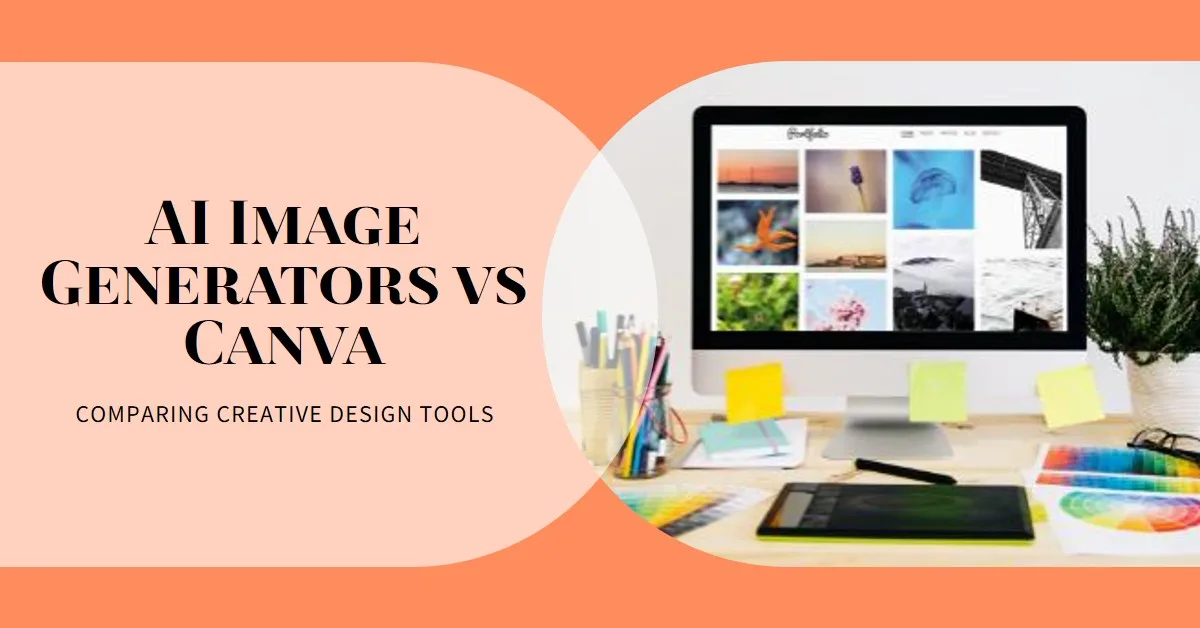
Creating eye-catching visuals for social media is essential for capturing attention and driving engagement. You need fresh images daily, professional designs consistently, and everything needs to happen fast—preferably without breaking your budget. That’s why the debate about AI image generators vs Canva for social media has become one of the hottest topics among content creators, marketers, and small business owners in 2025. Should you use specialised AI image generators like Midjourney, DALL-E, or Leonardo AI that create unique visuals from text prompts? Or is Canva, with its built-in AI features and extensive design toolkit, the more intelligent choice for your social media content? This comprehensive guide examines both options in detail, helping you understand which tool—or combination of tools—will give you the best results for your specific social media needs and budget.
Understanding the Two Approaches to Social Media Visual Creation
Before we compare AI image generators vs Canva, let’s make sure we understand what each option actually offers and why this choice matters for your social media success.
AI image generators are specialised tools that create original images from text descriptions (called prompts). You type something like “a coffee cup on a desk with morning sunlight”, and the AI generates a unique image based on that description. Popular examples include Midjourney, DALL-E 3, Leonardo AI, and Stable Diffusion. These tools focus specifically on image creation, using advanced machine learning to generate visuals that range from photorealistic to highly artistic.
Canva, on the other hand, is a comprehensive design platform that now includes AI image generation among its many features. It’s primarily known for its drag-and-drop editor, massive template library (over 1 million templates), and ability to create complete designs—not just images. Canva recently added AI capabilities through its Magic Studio, allowing users to generate images while also accessing text tools, graphics, effects, and layout options all in one place.
The key difference? Specialised AI image generators excel at creating unique, high-quality images, but require you to then import those images into another tool to make social media posts. Canva AI integrates image generation directly into the design workflow, enabling you to generate pictures, add text, adjust colours, and complete your entire post in one seamless process—saving you time and effort, often in 5 minutes or less.
For social media creators, this distinction is crucial. Your goal isn’t just to generate a pretty image—it’s to create a complete, formatted post that includes the image, text overlays, your branding, and proper sizing for different platforms. Recognising how AI image generators vs Canva handle this workflow will help you choose the tool that best fits your content creation process and saves you time.
AI Image Generators: Strengths for Social Media Content
Let’s start by exploring what specialised AI image generators bring to the table for social media visual creation.
Unmatched Image Quality and Artistic Control
The most significant advantage of dedicated AI image generators is simply this: they create better images. Tools like Midjourney and Leonardo AI specialise in one thing—generating visuals—and they do it exceptionally well.
Midjourney AI art generator stands out for its ability to produce highly creative, sometimes surreal images ideal for imaginative or abstract projects. If you need a stunning, attention-grabbing visual that doesn’t look like anything else on social media, specialised AI generators deliver results that Canva’s built-in AI can’t match.
These tools offer incredible artistic flexibility. You can specify art styles (oil painting, watercolour, digital art, photorealistic), lighting conditions, camera angles, moods, and countless other details that give you precise control over the final result. Want a cyberpunk-style product photo? A vintage 1950s advertisement aesthetic? A surreal, dreamlike landscape? Specialised AI generators handle these complex requests better than integrated tools.
Unique, Never-Before-Seen Visuals
In the crowded world of social media, standing out matters. Specialised AI image generators create completely original visuals that don’t exist anywhere else. You’re not selecting from templates or stock photos that thousands of other people might use—you’re generating something unique.
This originality is particularly valuable for brand identity and memorability. When your social media visuals stand out from everyone else’s, your audience starts recognising your content immediately in their feeds.
Advanced Features for Power Users
Tools like Leonardo AI, Stable Diffusion, and Playground AI offer advanced capabilities that serious content creators appreciate. You can train custom models on specific visual styles, maintain character consistency across multiple images, control particular aspects of composition through inpainting and outpainting, and achieve photorealistic results that rival professional photography.
For social media managers running campaigns that need cohesive visual storytelling, these advanced features enable sophisticated creative work that integrated tools like Canva can’t provide.
Higher Resolution and Commercial Rights
Most dedicated AI image generators produce high-resolution images suitable for any use—including print, large displays, and professional marketing materials. Many also offer clear commercial usage rights, which are crucial if you’re creating social media content for business purposes.
AI Image Generators: Limitations for Social Media
While specialised AI generators excel at image generation, they come with significant drawbacks across the whole social media content creation workflow.
No Integrated Design Tools
Here’s the fundamental problem: generating an image is only the first step in creating a social media post. After you generate your image in Midjourney or DALL-E, you still need to download it, open a design tool, add text overlays, incorporate your logo, adjust sizing for different platforms (Instagram square vs. story vs. reel, Facebook post, LinkedIn, Twitter, etc.), and export the final design.
With Midjourney, creators report needing to generate an image, download it, open Canva, upload it, and design around it—a multi-step process that takes significantly longer than Canva’s integrated approach.
This workflow interruption isn’t just annoying—it’s time-consuming. When you’re managing social media for a business and need to create five posts daily, these extra steps add up to hours of wasted time each week.
Learning Curve and Prompt Engineering
Creating great images with AI generators requires a skill called “prompt engineering”—knowing how to write text descriptions that produce the results you want. Getting good results from tools like Midjourney requires detailed prompts that describe the entire picture, including art styles, lighting conditions, camera angles, moods, and countless other specific details.
For beginners, this learning curve can be frustrating. You might spend an hour generating variations before getting something usable, especially when you’re first learning what prompts work well.
Cost and Access Issues
While some AI generators offer free tiers, serious use typically requires paid subscriptions. Midjourney requires a paid subscription with no free option. DALL-E 3 gives you limited free credits but charges for additional generations. These costs add up, especially for small businesses or individual creators managing multiple social media accounts.
Midjourney requires a paid subscription, while Canva offers many design tools available for free, making Canva more accessible for budget-conscious creators.
Platform-Specific Challenges
Some popular AI generators like Midjourney operate through Discord, which adds another layer of complexity. You need to learn Discord’s interface, join specific servers, use command syntax, and navigate a community-based system that wasn’t designed for design work. This unusual workflow feels clunky compared to traditional design tools.
Canva: Strengths for Social Media Content Creation
Now, let’s examine why Canva, with its integrated AI capabilities, appeals to so many social media creators and marketers.
All-in-One Design Workflow
Canva’s most significant advantage for social media is simple: everything happens in one place. Canva AI lets users create images by typing text prompts, then immediately edit those images, add text overlays, apply brand colours, choose social media formats, and export final designs—all without leaving the platform.
This integrated workflow is genuinely faster for social media content creation. Instead of using three different tools (AI generator + design tool + export/scheduling tool), you use one. For busy social media managers, this efficiency is invaluable.
Template Library and Format Optimisation
Canva offers over 1 million templates for everything from social media posts to business cards, presentations, and marketing materials. When creating social media content, you can start with a proven template designed specifically for your platform and post type, then customise it with your AI-generated images.
These templates are already optimised for different platforms—Instagram posts (1:1), Instagram stories (9:16), Facebook posts, LinkedIn graphics, Pinterest pins, Twitter headers, and dozens more. You don’t need to remember or manually set the correct dimensions for each platform.
Beginner-Friendly Interface
Canva’s AI generator is incredibly user-friendly, with a drag-and-drop interface that makes learning quick and easy, allowing beginners to create professional content with minimal effort. Unlike specialised AI generators that require prompt engineering skills, Canva guides you through the process with suggestions, style options, and a straightforward interface.
This accessibility matters tremendously for small business owners, solopreneurs, and non-designers who need social media content but don’t have time to become AI experts.
Built-in Brand Management
Canva includes brand kit features that store your logos, brand colours, fonts, and design preferences. When creating social media posts, your brand elements are always accessible with a single click. It ensures consistency across all your social media visuals without manual work.
For businesses running professional social media accounts, this brand consistency is crucial for recognition and credibility.
Collaboration and Team Features
Canva shines for teams managing social media together. Multiple people can access the same designs, leave comments, suggest edits, and maintain brand guidelines collaboratively. Canva’s collaboration tools make it ideal for businesses where teams need to work together on designs.
It is particularly valuable for agencies managing multiple client accounts, as well as for companies with social media managers, graphic designers, and marketing directors who all need to review content before it goes live.
Affordable Pricing Structure
Canva’s pro plans start at just $6.50 per month, making it significantly more affordable than maintaining subscriptions to multiple specialised AI tools. The free version is genuinely helpful, offering 50 free text-to-image uses per account plus access to Canva’s massive design toolset and template library.
For the budget-conscious creator, getting both design tools AND AI image generation for one affordable price represents exceptional value.
Canva: Limitations for Social Media
Despite its many strengths, Canva isn’t perfect for creating social media visuals. Understanding its limitations helps you make informed decisions.
Less Powerful AI Image Generation
Let’s be honest: Canva AI isn’t revolutionary in image generation—its strength lies in workflow integration rather than cutting-edge AI capabilities. If you compare a Midjourney-generated image directly against a Canva AI-generated image, Midjourney will usually look better, more detailed, and more artistic.
Canva’s AI image generators aren’t as good as specialised tools—the DALL-E integration appears to be an older version—but it compensates with numerous apps for creating banners, thumbnails, and social media content.
For social media posts where the overall design matters more than having the absolute best possible image, this trade-off often makes sense. But if your brand depends on stunning, gallery-quality visuals, Canva’s AI might not cut it.
Limited Artistic Control
Canva’s AI image generation offers fewer customisation options than specialised tools. You can’t fine-tune as many parameters, the style options are more limited, and achieving particular artistic visions is harder. Power users who want precise control over every aspect of image generation will find Canva restrictive.
Template Fatigue
While Canva’s templates are convenient, they’re also widely used. Millions of people use Canva, which means your social media posts might look similar to others if you rely heavily on templates without customisation. It can undermine the uniqueness that makes social media content memorable.
Credit Limitations on Free Plans
The free version of Canva limits how many AI-generated images you can create. Once you exhaust your credits, you need to wait for them to refresh or upgrade to a paid plan. For creators producing high volumes of social media content, these limitations can feel restrictive.
AI Image Generators vs Canva: Head-to-Head Comparison
Let’s directly compare AI image generators vs Canva across the factors that matter most for social media content creation.
Image Quality Winner: AI Image Generators
For pure image quality, specialised AI generators like Midjourney, Leonardo AI, and Stable Diffusion produce better results. The images are more detailed, more artistic, and more customisable. If your priority is having absolutely stunning visuals, dedicated AI tools win.
Workflow Efficiency Winner: Canva
For creating complete social media posts quickly, Canva wins decisively. The ability to generate images, add text, apply branding, and export in platform-specific formats—all in one tool—saves enormous time. For social media managers who need to consistently produce volume, this efficiency is game-changing.
Ease of Use Winner: Canva
Canva is dramatically easier to learn and use than most specialised AI generators. Midjourney has a steeper learning curve because it operates on Discord, requiring users to be comfortable entering prompts and navigating a non-standard interface. Canva, by contrast, feels intuitive from day one.
Cost-Effectiveness Winner: Canva
When you consider that Canva provides design tools, templates, brand management, collaboration features, AND AI image generation for one affordable subscription, it offers better value for most social media creators. Subscribing to multiple specialised tools costs more and requires switching between platforms.
Customisation and Control Winner: AI Image Generators
If you need precise visuals, unusual art styles, or precise control over every detail, specialised AI generators provide more power. They offer deeper customisation, more style options, and greater flexibility for achieving exactly what you envision.
Brand Consistency Winner: Canva
Canva’s brand kit features, template system, and integrated workflow make maintaining consistent branding across social media much easier. While you can certainly maintain brand consistency with AI generators, it requires more manual work and discipline.
The Smart Strategy: Using Both Tools Together
Here’s the truth that many successful social media creators have discovered: you don’t have to choose between AI image generators and Canva. The most innovative approach often involves using both strategically.
When to Use Specialised AI Generators
Use dedicated AI image generators like Midjourney, Leonardo AI, or DALL-E for:
- Hero images for important campaigns where you need gallery-quality visuals that wow your audience
- Unique brand imagery that establishes your visual identity and makes you instantly recognisable
- Specific artistic visions that require precise control and customisation
- High-stakes content like product launches, announcements, or signature content series
- Experimentation and inspiration when you’re exploring new visual directions for your brand
Generate these special images in your preferred AI tool, then import them into Canva for the final design.
When to Use Canva
Use Canva for:
- Daily social media posts where efficiency and consistency matter more than having perfect images
- Template-based content like quote graphics, tips posts, or recurring content series
- Quick announcements and timely posts that need to go live immediately
- Branded content where your logo, colours, and fonts need to be prominently featured
- Multi-platform posting where you need the same design in multiple formats quickly
- Team collaboration when numerous people need to review or contribute to designs
The Hybrid Workflow
Many professional social media managers use this hybrid approach:
- Generate 5-10 high-quality hero images monthly using Midjourney or Leonardo AI
- Import these into Canva and save them in your brand kit
- Use these hero images as centrepieces in Canva designs for important posts
- Use Canva’s AI generator for supplementary images and daily content
- Leverage Canva’s templates and design tools for all final formatting
This approach gives you the best of both worlds: stunning hero images when they matter most, plus the efficiency of Canva for everything else.
Choosing Based on Your Specific Situation
Your choice between AI image generators vs Canva should depend on your specific circumstances, budget, and goals.
For Small Business Owners and Solopreneurs
Recommendation: Start with Canva
As a small business owner managing your own social media, time is your most precious resource. Canva’s all-in-one approach lets you create complete, professional social media posts quickly without needing multiple tools or advanced skills. The affordable pricing and gentle learning curve make it ideal for beginners.
Once your social media presence is established and you want to elevate your visual quality, consider adding a specialised AI generator for signature content while continuing to use Canva for daily posts.
For Social Media Managers and Marketing Teams: AI Image Generators vs Canva
Recommendation: Use Both
Professional social media managers benefit from having both tools in their arsenal. Use Canva as your primary design platform for efficiency and team collaboration, then supplement with specialised AI generators when you need premium visuals for campaigns, announcements, or brand-defining content.
The investment in both tools pays for itself through the combination of efficiency (Canva) and visual excellence (AI generators), keeping your content both consistent and impressive.
For Content Creators and Influencers
Recommendation: Depends on Your Brand
If your brand is built on having a distinctive, artistic visual style, invest in learning a powerful AI generator like Midjourney or Leonardo AI. Your unique aesthetic is part of what makes you memorable, so prioritise image quality.
If your brand is more about personality, information, or entertainment—where the visuals support your content rather than being the content—Canva’s efficiency will serve you better.
For Agencies Managing Multiple Clients
Recommendation: Canva for Workflow, AI Generators for Special Projects
Agencies need scalable workflows that allow teams to produce high volumes of content across multiple client accounts. Canva’s team features, template system, and brand kit management make it essential for this scenario.
Add specialised AI generators to your toolkit for premium client projects, unique brand development work, and campaigns where extraordinary visuals justify the extra time investment.
For Budget-Conscious Creators
Recommendation: Start with Free Canva
Canva’s free plan includes 50 lifetime AI image generation credits plus full access to the design platform’s core features. It gives you everything you need to create professional social media content without spending a dime.
As your budget grows, upgrade to Canva Pro before investing in additional AI tools. The pro version removes credit limitations and adds advanced features that improve your social media content more than adding another tool would.
Practical Tips for Maximising Your Chosen Approach
Regardless of whether you choose AI image generators, Canva, or both, these strategies will help you create better social media content.
For AI Image Generator Users
Master prompt engineering. Invest time learning how to write effective prompts. Study examples, experiment with different descriptions, and build a library of prompts that work well for your brand.
Create image libraries. Generate batches of images during dedicated creation sessions, then store them for use throughout the month. This batching approach is more efficient than generating images one at a time.
Develop a consistent editing workflow. Since you’ll need to import AI-generated images into design tools, create a streamlined process for doing so. Use the same design software consistently, save template files, and automate repetitive steps where possible.
For Canva Users
Customise templates extensively. Don’t just use templates as-is. Change colours, rearrange elements, swap images, and adjust typography to make them uniquely yours. It prevents your content from looking generic.
Build a brand kit. Take time to properly set up your brand kit with logos, colours, and fonts. This one-time investment pays dividends every time you create content, ensuring consistency automatically.
Learn keyboard shortcuts. Canva offers numerous shortcuts that dramatically speed up your workflow. Learning just 5-10 key shortcuts can cut your design time in half.
Create your own template library. Save your best designs as templates for reuse. Over time, you’ll build a personal library of proven designs that make content creation even faster.
For Users Combining Both Approaches
Establish clear guidelines. Define when you’ll use each tool. For example: “AI generators for all product launch images, Canva for daily tips and quotes.”
Maintain organised asset libraries. Keep your AI-generated images organised in folders and tagged adequately so you can easily find and reuse them in Canva.
Batch similar tasks. Do all your AI image generation in one session, then switch to Canva for design work. This minimisation of context switching improves efficiency and creativity.
The Future of AI Image Generators vs Canva for Social Media
As we look ahead, the distinction between specialised AI generators and integrated platforms like Canva will likely blur as both continue evolving rapidly.
Canva is steadily improving its AI capabilities, integrating more powerful image generation models and adding features that close the quality gap with specialised tools. Canva AI integrates smoothly with tools including OpenAI, Google Drive, Dropbox, and more, making it especially useful for businesses and marketers who need connected workflows.
Meanwhile, specialised AI generators are beginning to add more design-adjacent features, recognising that users want complete solutions rather than just image generation.
The trend is clear: the tools are converging toward offering both powerful AI generation AND comprehensive design capabilities. In a year or two, the choice might not be as stark as it is today.
However, for now, you still need to choose your primary approach based on your specific needs, budget, and social media content creation priorities.
Conclusion: Making the Right Choice for Your Social Media Success
So, when it comes to AI image generators vs Canva for social media, which is better? The honest answer is: it depends entirely on what matters most to you.
Choose specialised AI image generators if visual quality is paramount, you need highly unique imagery that sets you apart, you have time to invest in learning prompt engineering, and you’re comfortable using multiple tools in your workflow. These tools excel at creating stunning, original visuals that can make your social media content truly memorable.
Choose Canva if workflow efficiency is your priority, you need to produce high volumes of content consistently, you want an all-in-one solution, you value ease of use and quick learning curves, and you need built-in brand management and team collaboration. Canva makes social media content creation faster and simpler while still producing professional results.
Choose both if you have the budget and want maximum flexibility. Use AI generators for premium, signature visuals that define your brand, and use Canva for daily content creation, formatting, and design work. This hybrid approach gives you both exceptional quality and practical efficiency.
For most small businesses, individual creators, and social media managers, Canva represents the smarter starting point. It solves more problems, requires less learning, costs less, and directly addresses the complete social media content creation workflow. You can always add specialised AI generators later as your needs and budget grow.
The most important thing isn’t which tool you choose—it’s that you actually use the tool consistently to create engaging social media content that connects with your audience. The best tool is the one you’ll actually use every day to build your brand, engage your community, and achieve your social media goals.
Start with whichever approach fits your current situation, commit to mastering it, and let your results guide future decisions about expanding your toolkit. Your social media success depends far more on consistency, strategy, and understanding your audience than on which specific tool you use to create your images.
Affiliate Links:
Some links in this article may be affiliate links, meaning they could generate compensation to us without any additional cost to you should you choose to purchase a paid plan. These are products we have personally used and confidently endorse. Please note that this website does not provide financial advice or investment recommendations. You can review our affiliate disclosure in our privacy policy for more information.